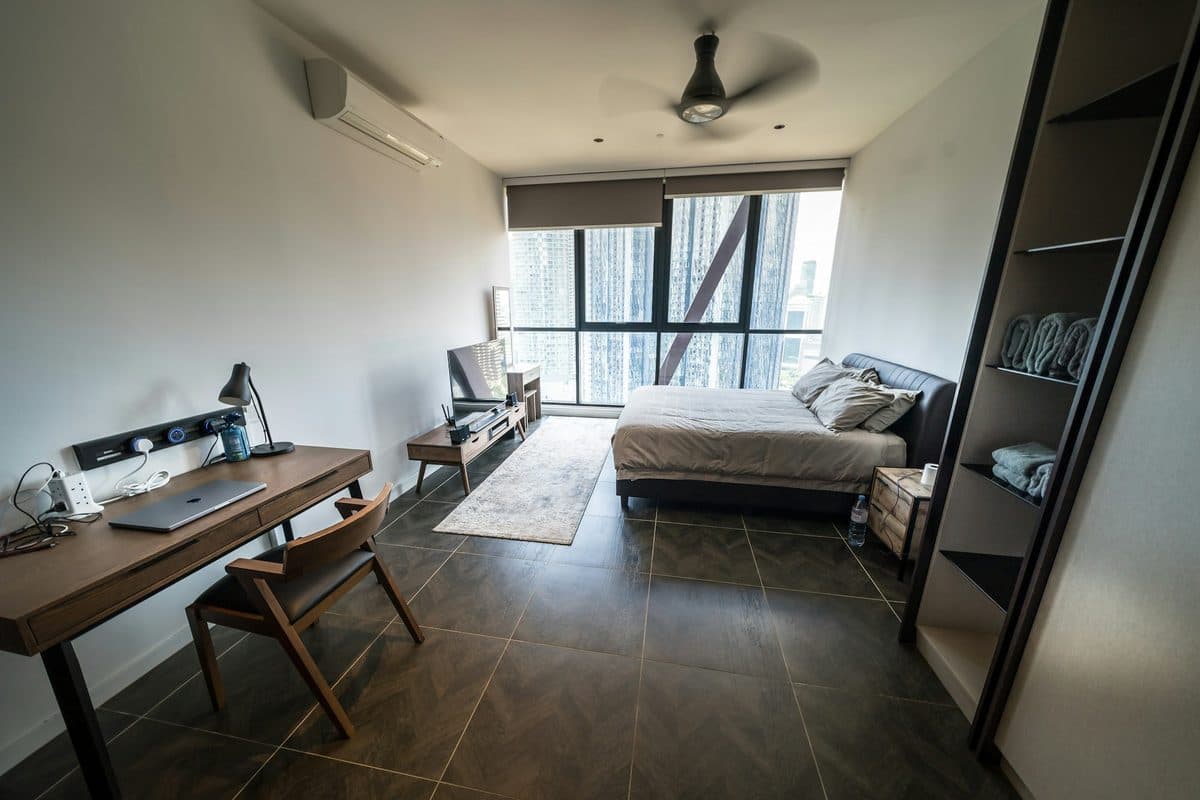
A small apartment bedroom with a wood desk and chair on the left, a laptop and a lamp, loose cords at a power strip, and a bed by a city window. Photo via Unsplash.
A work corner in a small apartment is a desk with an off switch. The off switch is closing the laptop and leaving the bed alone.
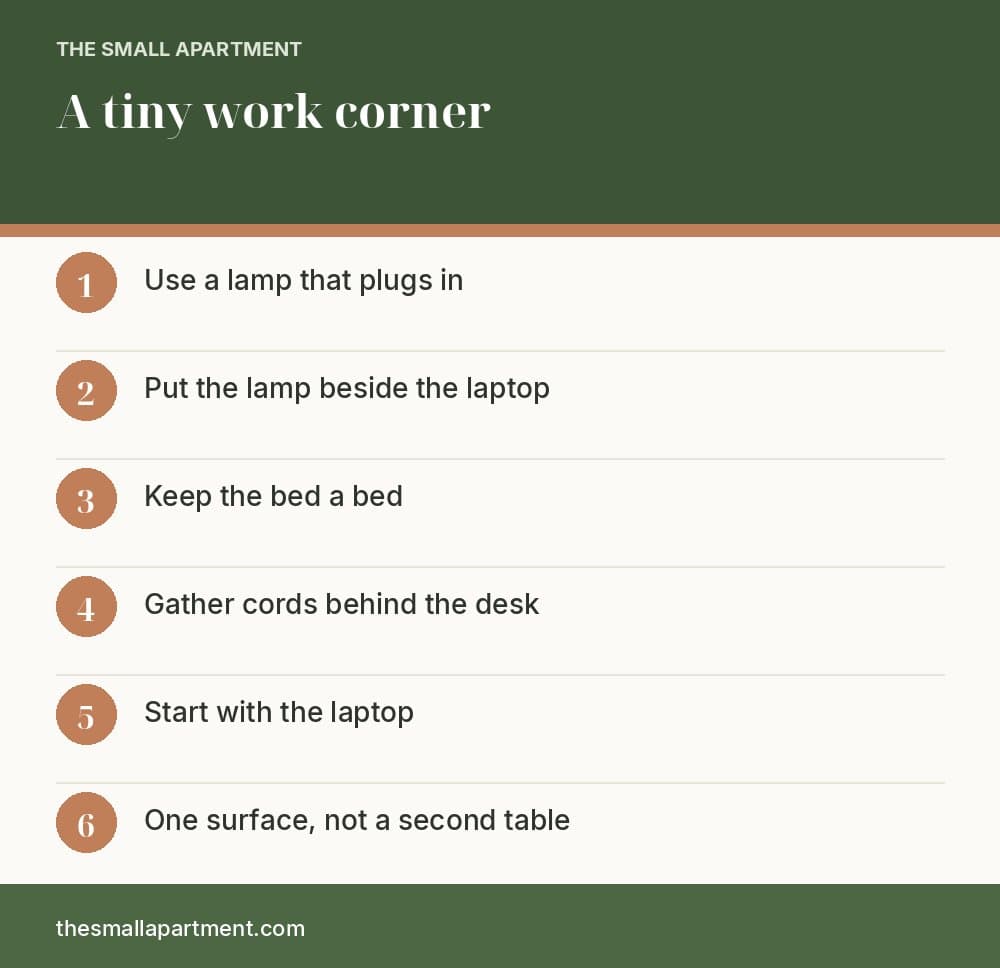
Use one desk, a chair, and a lamp that plugs in. Keep the cords on one power strip behind the desk. Start with the laptop. Do not add a second table. Do not work from the bed if there is any other surface.
The cover is the whole idea in one room. A wood desk against the left wall, a laptop, a black lamp, a power strip with cords, and a wood chair. The bed is on the right, with a rug between them and a city window beyond. A ceiling fan and a wall air conditioner are already there. Copy the desk-beside-the-bed layout. Do not copy the loose cords. Those get fixed in step 4.
Where this corner sits in a studio that also has to sleep and cook is in studio apartment organization. That guide puts a compact desk in a rough range of $60 to $150, and a caddy for supplies around $10 to $25. Prices move by store and city. If the desk has to fold away, the furniture options are in multifunctional furniture for a studio.
Key takeaways
The lamp plugs in. It is not a new ceiling light.
Put the lamp beside the laptop, close enough to light the keyboard.
The bed stays a bed. Clothes do not live on the desk.
Loose cords get gathered behind the desk, on one strip plugged into the wall.
Start with the laptop. A second keyboard needs a wider desk than a corner usually has.
One surface. A second table is a second footprint.
What Light Does a Small Desk Need?
1Step 1: A lamp you plug in
Step 1. This is the lamp, not the corner. It aims down, and it does not need a new ceiling box.
The photo is a black architect lamp on a plain wall. The arm is extended, the shade is on, and there is no desk in the frame. That is useful. The lamp is the object. The corner is whatever wall you put it on.
Plug it in. Aim the shade at the spot where your hands will be, a bit to the side so you are not staring into the bulb. You do not need a brighter ceiling light, and you should not install one in a rental.
Daylight from a window is the other light, when you have it. The lamp is for evening and for a desk that faces a wall. One lamp is enough. A second lamp is a second cord.
Where Does the Lamp Sit?
2Step 2: Beside the laptop
Step 2. Lamp beside the laptop, on a live-edge desk. The snowy forest and the slab are a cabin, not the corner you need to copy.
The photo is a thick live-edge wood desk in front of a window. Outside is a snowy forest. On the desk: a laptop, a black task lamp, a phone, camera lenses, and a plant. Copy the lamp next to the laptop. Leave the slab and the forest in the photo.
The lamp should be close enough that the keyboard is brighter than the rest of the room, and far enough that your elbow does not hit the base. On the side opposite your writing hand if you write on paper. Either side is fine for a laptop.
The cameras and the plant are extra. A corner has room for the laptop, the lamp, and maybe a glass of water. If the plant crowds the mouse, the plant moves to the floor or off the desk.
A window in front of you can glare on the screen. If that happens, turn the laptop a little, or lower the shade. Do not solve glare by adding a bigger monitor you have nowhere to put.
Can the Bed Be the Desk?
3Step 3: The desk is not the bed
Step 3. The bed stays a bed. The pile of clothes on the right side of the desk does not belong there either.
The photo is a bedroom. A bed fills the foreground. By the window, a desk holds a lamp and a laptop, with an office chair pulled out. A pile of clothes sits on the right side of the desk, and camera gear sits on the left. Mountains are outside the glass. The room is larger and loftier than a lot of studios. Copy the split: bed here, desk there.
The clothes pile is the mistake in the photo. The desk is for work. Laundry has a hamper. If the only surface is the desk, you still do not fold clothes on the keyboard.
Working from the bed feels fine until the laptop sleeps in the blankets and the bed stops being a place you sleep. If the desk has to be in the bedroom, keep it against a wall, the way the cover shows, and make the bed before you open the laptop. Bedroom storage around that desk is in small bedroom organization.
What Do You Do With the Cords?
4Step 4: One strip, behind the desk
Step 4. The cables are loose across the desktop. Gather them behind the desk. This desk is wider than a corner.
The photo is a wide dark desk against brick, with a window beside it. A monitor, a laptop, a keyboard, a water bottle, and a glass. Black cables run loose across the top of the desk. That is the before picture.
Do this instead:
One power strip, plugged into the wall outlet, set on the floor or mounted behind the desk where you can still reach the switch.
Laptop, lamp, and monitor, if you have one, plugged into that strip.
The extra length of cord coiled and held with a clip or a velcro tie, off the floor you walk.
Do not plug a power strip into another power strip. Do not run the cord across the doorway. The cover photo shows a strip at the back of a desk with cords spilling forward. Push that spill behind.
A monitor in this photo is a lot of desk. Step 5 is whether you need one.
Do You Need More Than a Laptop?
5Step 5: Start with the laptop
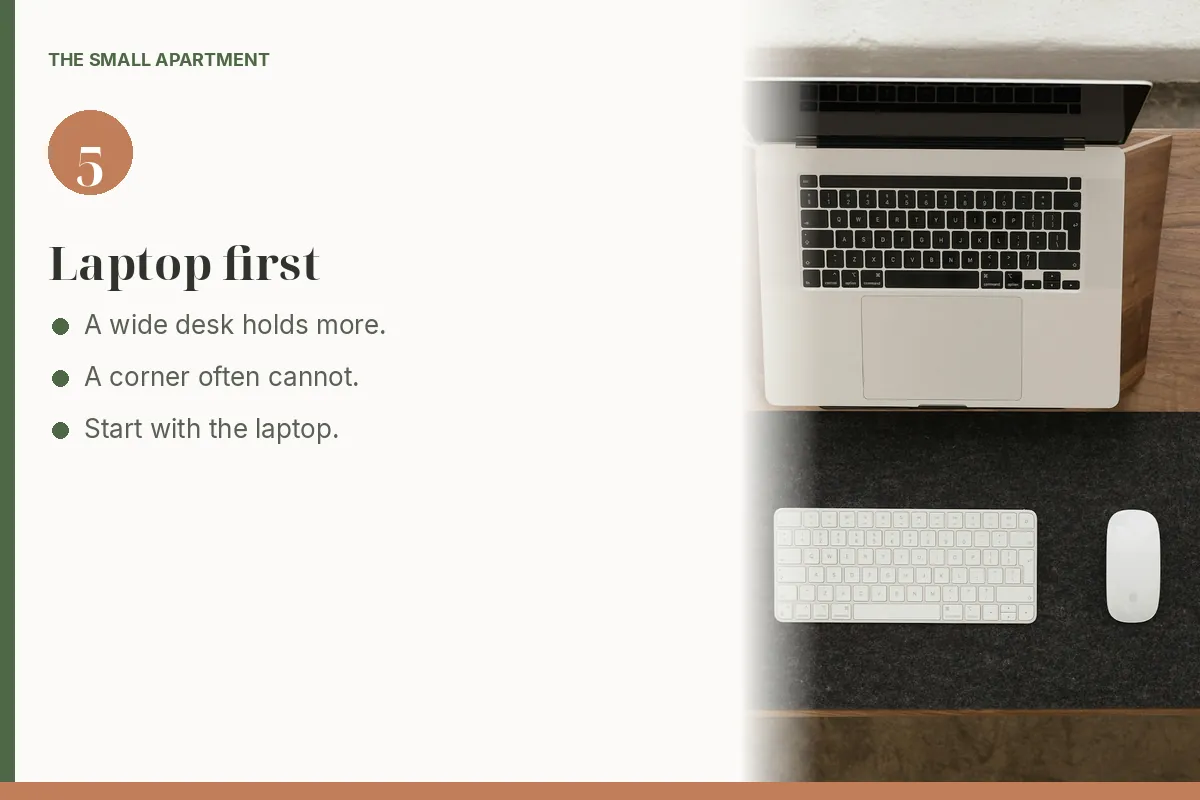
Step 5. A wide desk holding a laptop on a stand, plus a separate keyboard, mouse, and headphones. A corner often cannot.
The photo looks straight down at a wide wood desk. A laptop sits on a stand. Below it, a separate keyboard and mouse rest on a dark mat. A phone, a small tray with earbuds, headphones, and a little plant take the edges.
A wide desk can hold a second keyboard. A corner often cannot. Start with the laptop open, the lamp beside it, and your hands on the laptop's own keyboard. Add a separate keyboard only when you have used the laptop for a week and the reach hurts, and only if it fits without pushing the lamp off.
Headphones are the apartment courtesy, not a decor item. One pair, on a hook or in a drawer, not a stand that needs its own square of desk. The plant can live on the floor if the desktop is the size of a nightstand.
How Many Surfaces Does the Corner Get?
6Step 6: One desk, not a second table
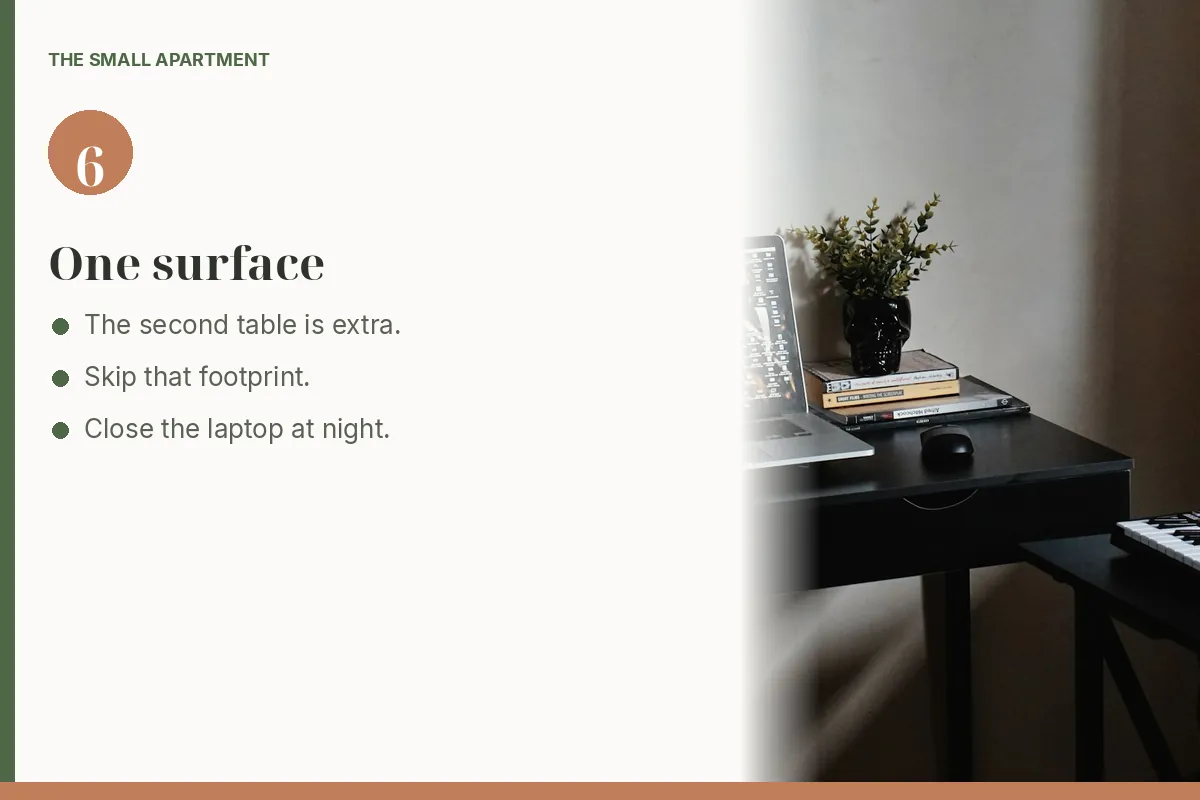
Step 6. The small table at the right holds a music keyboard. That second footprint is what a small room should skip.
The photo is a black desk with an architect lamp, a laptop, a stack of books, a small plant, and a mouse. Beside it, a lower table holds a red music keyboard. The second table is a second footprint. In a small room, skip it.
One surface means:
The laptop lives on the desk, closed when you are done.
Papers go in one caddy or one drawer, not on a side table you have to walk around.
A hobby that needs its own table, like that keyboard, waits until you are not using the floor for a path.
Push the chair in when you stand up. A chair left out is the same shin problem as a dining chair. If this desk is also where you eat, close the laptop before the plate arrives. The dining version of one table with two jobs is in a studio dining nook.
At night, the corner should look done. Laptop closed, chair in, glass in the sink. That pass is the same one as the nightly reset, with the laptop added to the list of things that do not sleep on the table.
One desk, one lamp, one strip, and a laptop you can close.
What If the Only Spot Is the Dining Table?
Then the table is the corner, and it still closes. Laptop shut, charger in one spot, lamp pushed to the side before you eat. You do not need a second piece of furniture to call it an office. A corner that never turns off is just a smaller apartment with a job in it.
Printable Work-From-Home Corner Checklist
Frequently asked questions
How do you make a work-from-home corner in a small apartment?
Put a small desk against a wall, not on the bed. Add a chair, a lamp that plugs in, and one power strip. Work on the laptop, and close it when you are done so the corner can disappear.
Should you work from the bed in a studio?
No, if you can put a desk anywhere else. The bed is for sleep. A laptop on the duvet turns the only soft seat into an office that never closes. If the desk is in the bedroom, it still faces the wall or the window, and the bed stays made.
What light do you need for a small desk?
A task lamp that plugs in, aimed at the keyboard, plus whatever daylight the window already gives you. You do not need a new ceiling fixture. A lamp in the photo with no desk under it is still just the lamp.
How do you hide desk cords in a rental?
One power strip plugged into the wall outlet, stuck or set behind the desk, with the cords gathered so they are not across the floor. Do not plug a strip into another strip. Do not run a cord across the path you walk at night.
Do you need a monitor for a tiny work corner?
Not at the start. A laptop is the whole computer until the work is hard to see. A separate monitor, keyboard, and mouse fit a wide desk. A corner often has room for the laptop and the lamp, and that is the setup.
How do you shut a work corner down at night?
Close the laptop, push the chair in, and put papers in one caddy or one drawer. The corner should read as furniture, not as an open office. The nightly reset is the habit that keeps tomorrow's breakfast off today's keyboard.
Get the small apartment checklist
One short email a week with a small-space fix that actually works in a rental. You also get our printable room-by-room checklist. No spam, unsubscribe anytime.